
Auth Recovery
Never lose your inputs again. Auth Recovery runs silently in the background, auto-saving your drafts and restoring them instantly after a crash or reload.
Background Auto-Save
Saves all text inputs, textareas, and form selections dynamically every 5 seconds (debounced) as you type, keeping memory footprints close to zero.
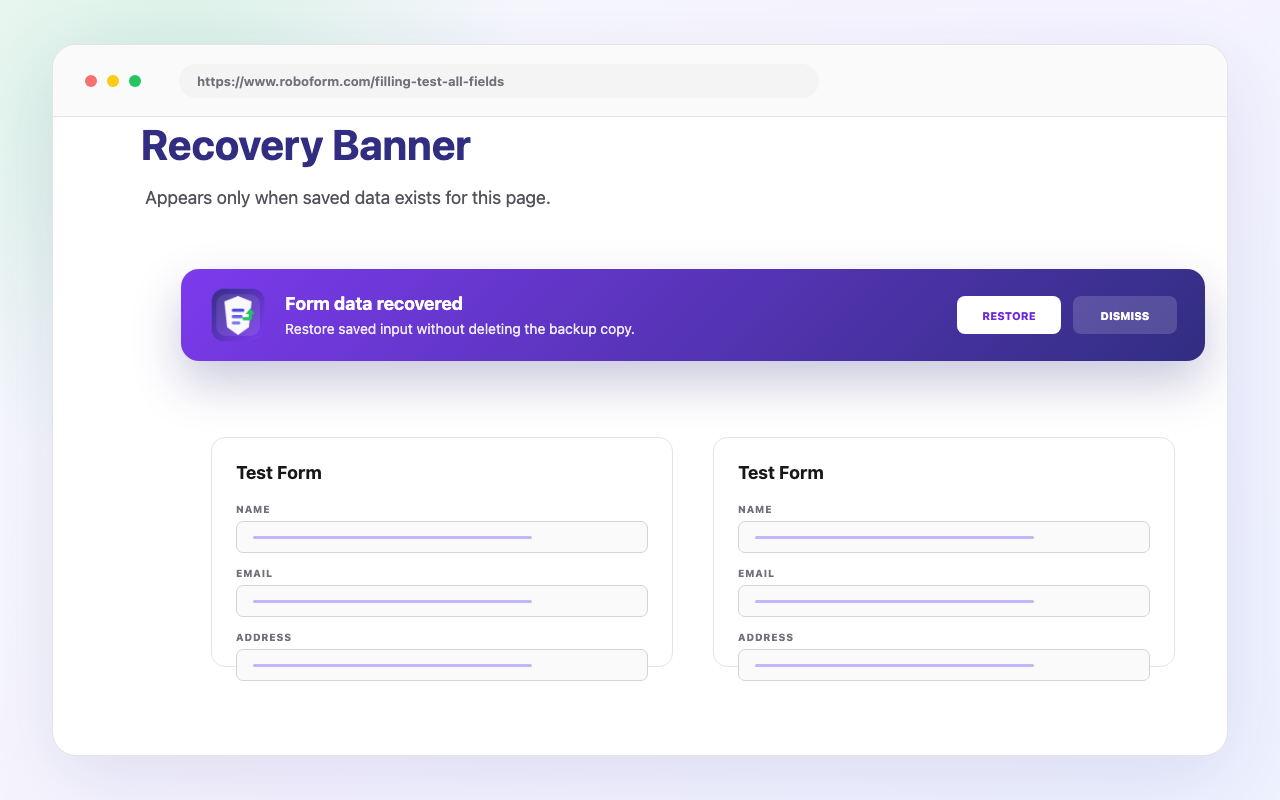
One-Click Floating Recovery Banner
Detects saved drafts on page load and prompts you with a clean, floating banner. Click "Restore" to instantly re-populate all fields.
Local Cryptographic Encryption
Automatically identifies sensitive fields (passwords, credit card forms, tokens) and encrypts them locally using secure wrappers before storage.
Exclusion & Retention Control
Custom domain blacklists prevent capturing inputs on sensitive websites. Built-in scheduler purges outdated forms automatically.
Interface Preview
Explore how Auth Recovery protects your form entries. Click through the tabs below to preview the utility screens.
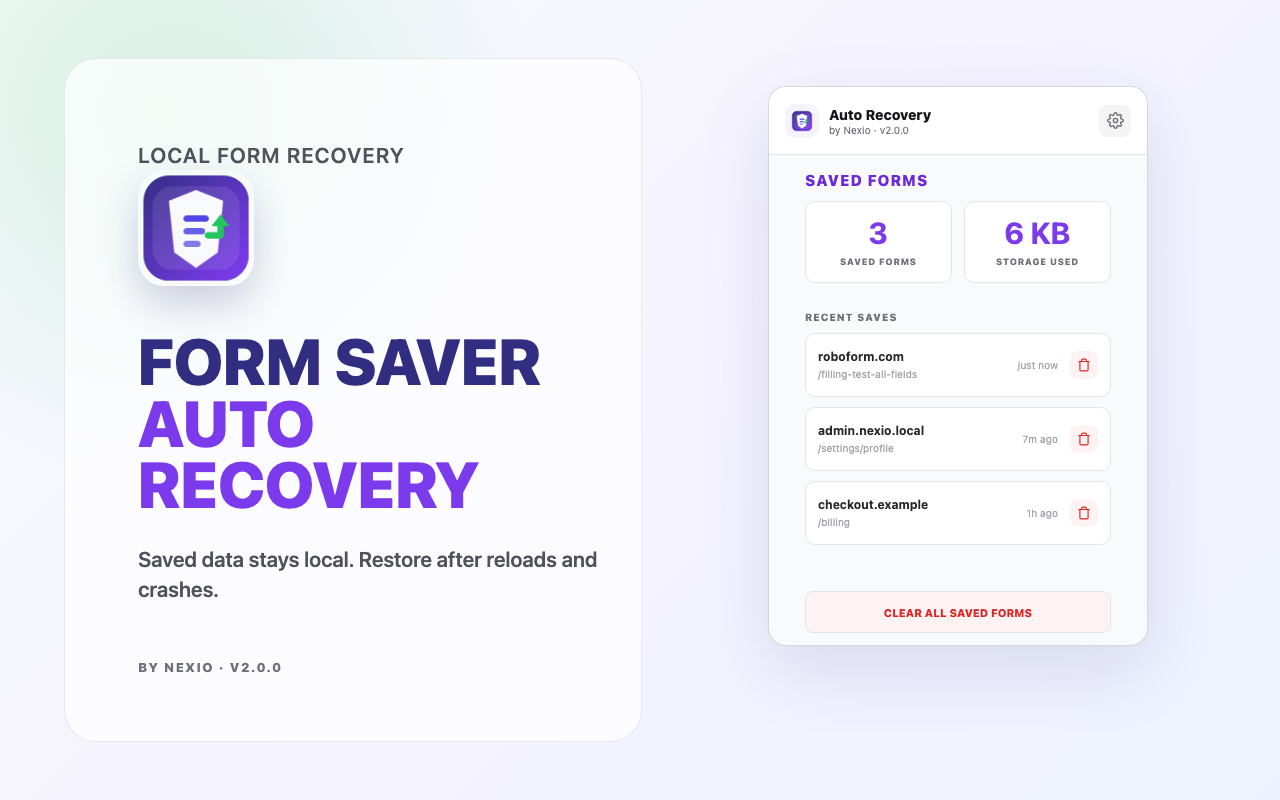
Simplicity in your toolbar
Clicking the extension icon opens a clean workspace showing your saved form drafts. Clear specific items, review encryption status, or quickly reset local databases in one go.
- ✓ Real-time local draft index
- ✓ Encrypted field indicators
- ✓ Direct item removal